Prerequisites
Before using a CPS-Vault SDK, you need two things:
- Access credentials — CPS-Vault authenticates using your organization's existing cloud identity, so there's no separate CPS-Vault password or API key to manage. Pick one of the two options below to get set up.
- Network access to the CPS-Vault server, which is
https://cps-vault.commandcentral.com(outbound HTTPS only). The SDK uses this URL by default.
Option A — Request access via the CPS Portal
The CPS Portal is the fastest way to get set up if your organization already provisions access through it — request access, and the portal handles issuing an identity with the correct permissions on your behalf.
-
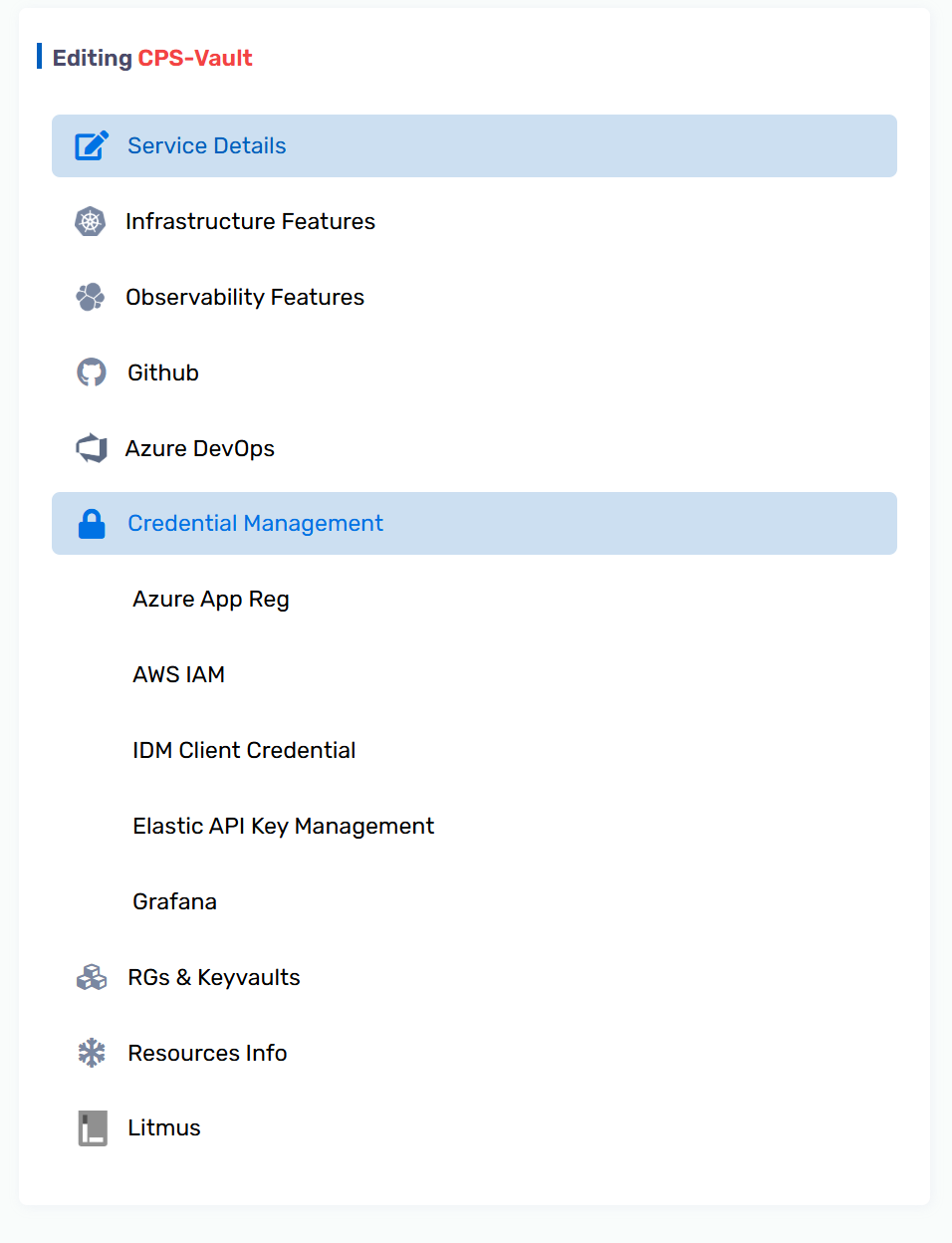
Sign in to the CPS Portal and open your service, then go to Credential Management → AWS IAM.
-
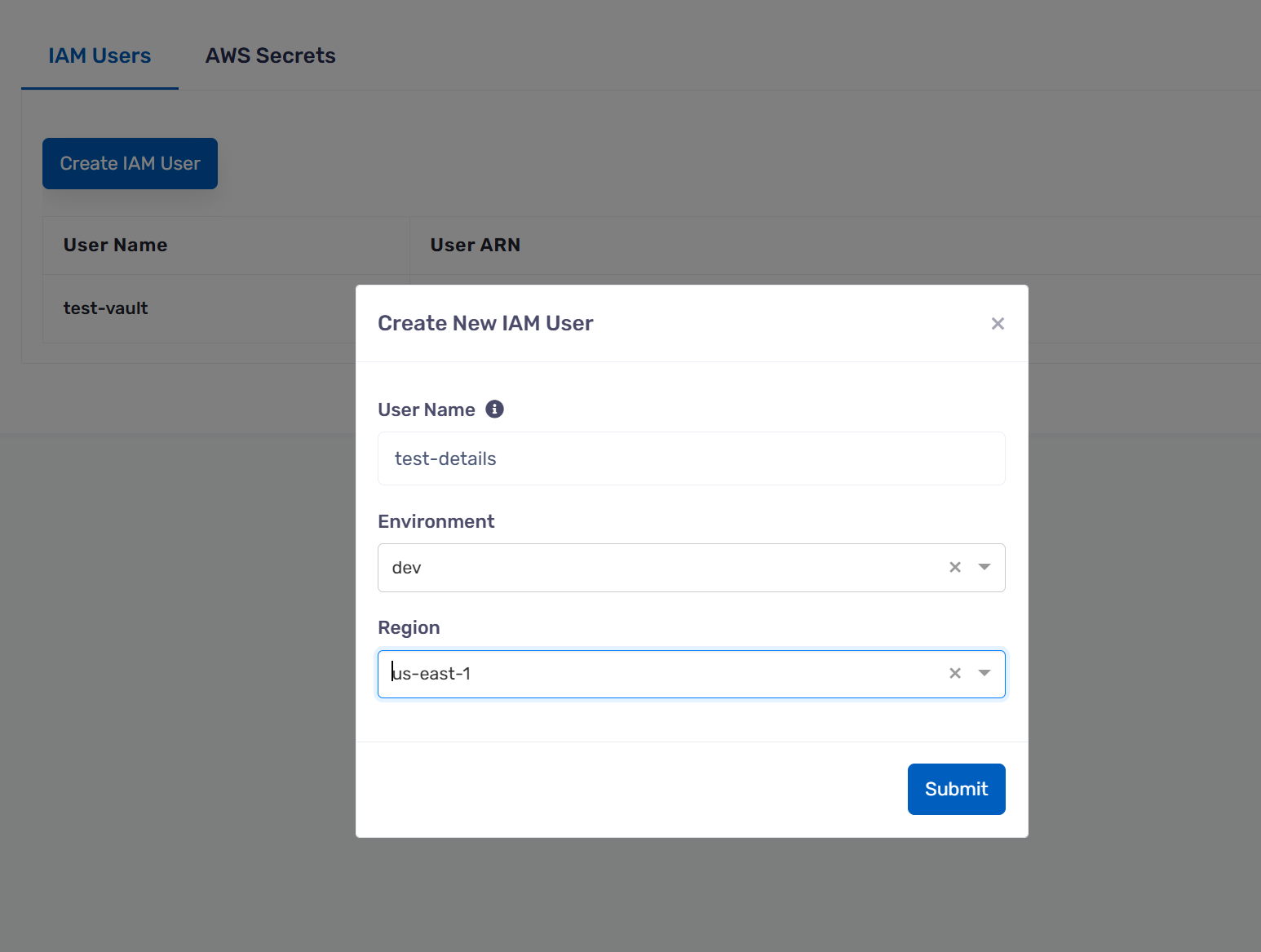
On the IAM Users tab, select Create IAM User and fill in a user name, environment, and region.
-
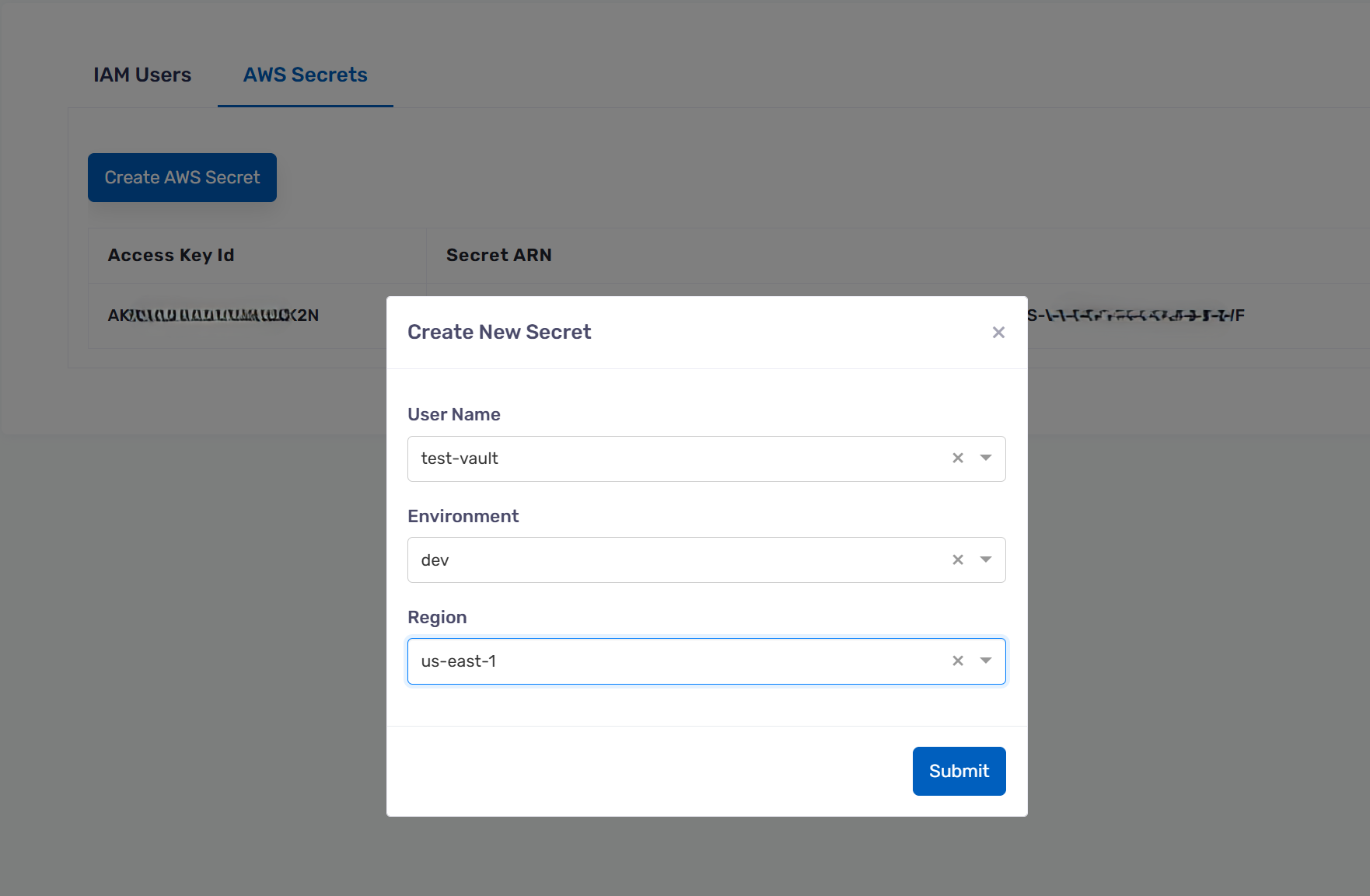
Switch to the AWS Secrets tab, select Create AWS Secret, and choose the user you just created.
-
The table on the AWS Secrets tab now shows an Access Key Id and Secret ARN for that user — retrieve the corresponding secret access key from your organization's AWS console/secret store using that ARN.
- Configure the SDK with the resulting access key ID and secret access key (e.g. via
aws configure --profile <name>, oraws_access_key_id/aws_secret_access_keydirectly).
Once you have your credentials, skip ahead to Getting Started.
Not for production use
Credentials issued through the CPS Portal are provisioned with broad (admin-level) access, for ease of use during quick proofs of concept. Do not use CPS Portal credentials in production. For any real workload, follow the principle of least privilege and provision a scoped-down credential yourself using Option B below.
Option B — Set up access yourself (recommended)
If you're not using the CPS Portal, or you're setting up a new project/service account, you can provision access directly in your own cloud account. This requires permission to create credentials and encryption keys — ask your account administrator if you don't have it.
You need an identity (user or role) with:
- Permission to encrypt and decrypt with a customer-managed encryption key in your own account, and to create one if it doesn't exist yet.
You do not need any permission to call the CPS-Vault endpoint itself. Any valid AWS credentials
from any account and any region are accepted: the server verifies your identity through AWS STS,
which requires no IAM permission. No execute-api:Invoke or lambda:InvokeFunctionUrl grants are
needed.
- Open IAM → Users (or Roles, for a service/workload identity) in your cloud console and create a new identity.
-
Attach an inline policy with the following permissions:
-
For a user, open the new user's Security credentials tab and generate an access key. For a role, attach it to the compute resource (EC2/ECS/Lambda) that will run your application — no static key needed.
# 1. Save the policy above to a file
cat > cps-vault-policy.json <<'EOF'
{
  "Version": "2012-10-17",
  "Statement": [
    {
      "Sid": "CpsVaultEncryptionKey",
      "Effect": "Allow",
      "Action": [
        "kms:DescribeKey",
        "kms:CreateKey",
        "kms:CreateAlias",
        "kms:Encrypt",
        "kms:Decrypt"
      ],
      "Resource": "*"
    }
  ]
}
EOF
# 2. Create a user and attach the policy
aws iam create-user --user-name my-cps-vault-user
aws iam put-user-policy \
--user-name my-cps-vault-user \
--policy-name cps-vault-access \
--policy-document file://cps-vault-policy.json
# 3. Generate an access key for local/dev use
aws iam create-access-key --user-name my-cps-vault-user
The create-access-key output contains AccessKeyId and SecretAccessKey — store these as
a named profile (aws configure --profile my-cps-vault-user) rather than exporting them
directly, and prefer attaching the policy to a role instead of a long-lived user for anything
running in production.
Requirements summary
| Requirement | Notes |
|---|---|
| An identity credential (user, role, or SSO session) | Via the CPS Portal or set up yourself (above) |
| Encryption key permissions | Included automatically the first time you use the SDK — no key to pre-create |
Outbound HTTPS to cps-vault.commandcentral.com |
No execute-api / lambda:InvokeFunctionUrl IAM permissions needed; any AWS region works |
| Python ≥ 3.9 | If using the Python SDK |
Do you need to run the server yourself?
No — CPS-Vault is a shared, centrally-operated service. You only need your access credentials and outbound HTTPS access to the CPS-Vault domain. Running your own CPS-Vault deployment is only relevant if you're standing up a new, independent instance.